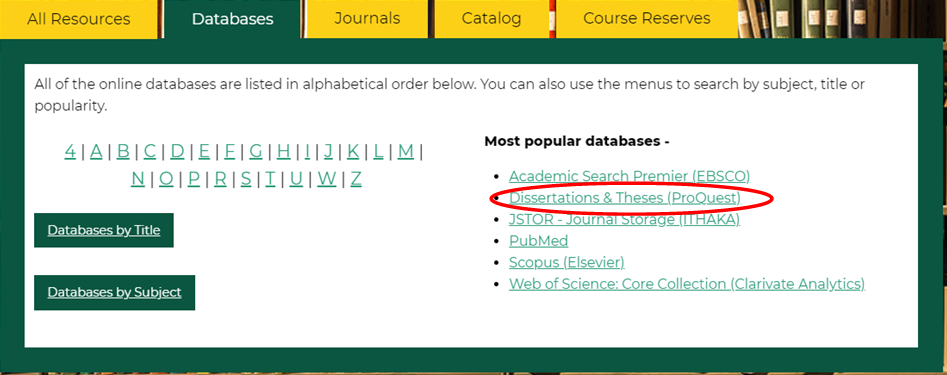
Use the Dissertations & Theses database to search a collection of dissertations and theses from around the world, spanning from 1861 to the present. It includes full text for most of the dissertations added since 1997. When full text is not provided, you can request a copy using interlibrary loan.
Use the Basic Search to find dissertations and theses by topic or title. For example, to find dissertations about Fusarium Head Blight, enter the keywords in the search box and click search. If you already know the title of what you are looking for, you can search using the full or partial title in quotation marks.

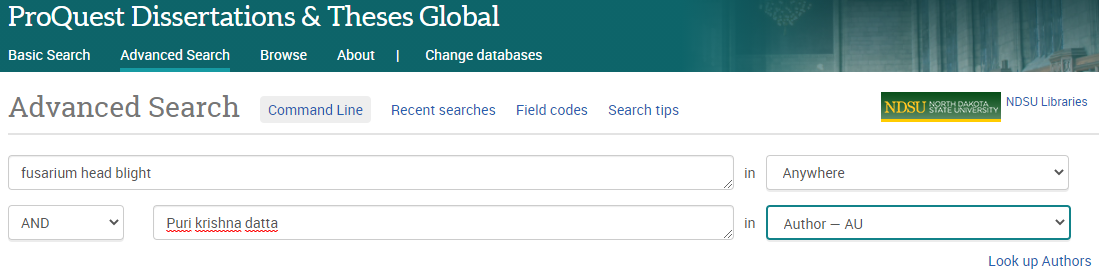
Use the Advanced Search to find dissertations and theses by topic, title, author, advisor, university, department, and more.
For example, let’s say you know the topic of the dissertation (fusarium head blight) and the author (Puri) but not the full title or the institution. To search for it:
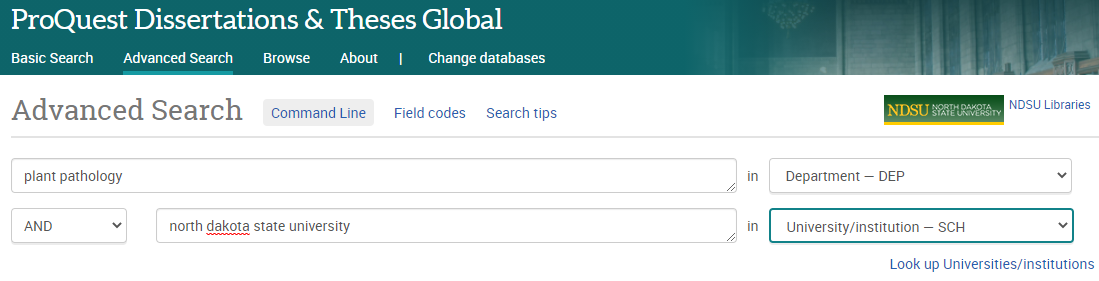
Do you want to see dissertations from a specific department at North Dakota State University?